
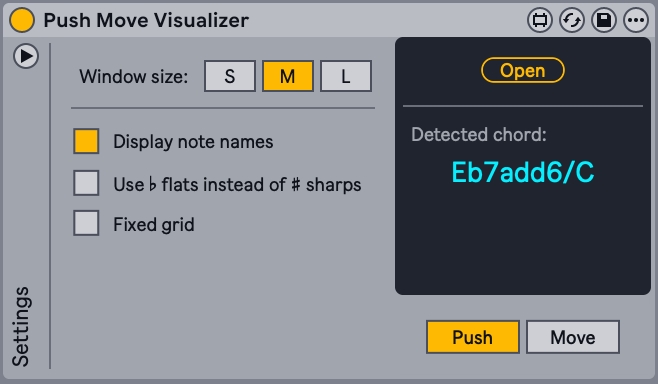
The Push and Move Visualizer is now available as a Max for Live device.
You can load it onto a MIDI track and use the visualizer directly inside your Ableton Live set. The features are identical to those of the web app, with a few added benefits:
- Easier setup and routing
- No need for an internet connection or web browser
- Automatically follows Live's theme color
- Automatically follows your set's key and scale
- Control the device with Push and Move's knobs

System requirements
Ableton Live 12
Max for Live
Optional
Ableton Push 1, 2, 3 or 3 Standalone
Ableton Move
Buy or download the device
All versions are exactly the same. This is a learning tool, and we want it to be accessible to everyone. That's why we offer three options: use it for free, support the project with a fixed price, or pay what you want if you'd like to contribute more.
Free Version
Free
You can download the device for free. There are no differences with the other options.
Paid Version
€ 14.99 + VAT
Support the project by paying the set price for this device and helping us continue its development. VAT is calculated automatically at checkout.
Pay what you want
Up to you
We want everyone to contribute in a way that works for them, paying whatever amount they feel is appropriate.
Secure payment powered by Stripe.